TOP BENEFITS OF BRICK:
• Instant app blocking
• NFC tap simplicity
• Customizable app lists
• Emergency unbrick access
• Multi-device compatibility
• Progress tracking insights
• Boosts daily focus
• User-friendly interface
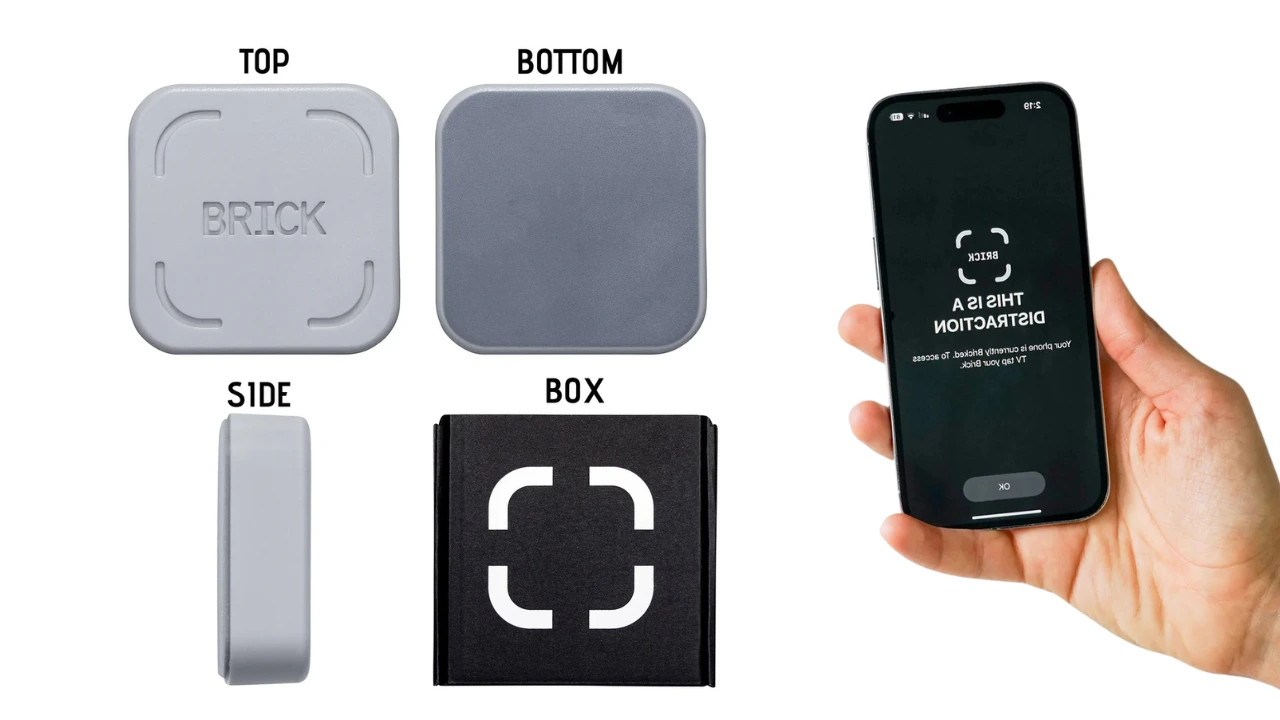
Feeling overwhelmed by endless notifications and app temptations? Brick offers a simple, science-backed way to regain control of your day. With a single tap, this device transforms your iPhone into a distraction-free zone so you can get more done without digital drama.
Whether you’re deep in work, enjoying time with loved ones, or simply craving a peaceful moment, this device keeps you present. No more swiping mindlessly or wrestling with screen-time limits, just seamless focus whenever you need it.
What Is Brick?
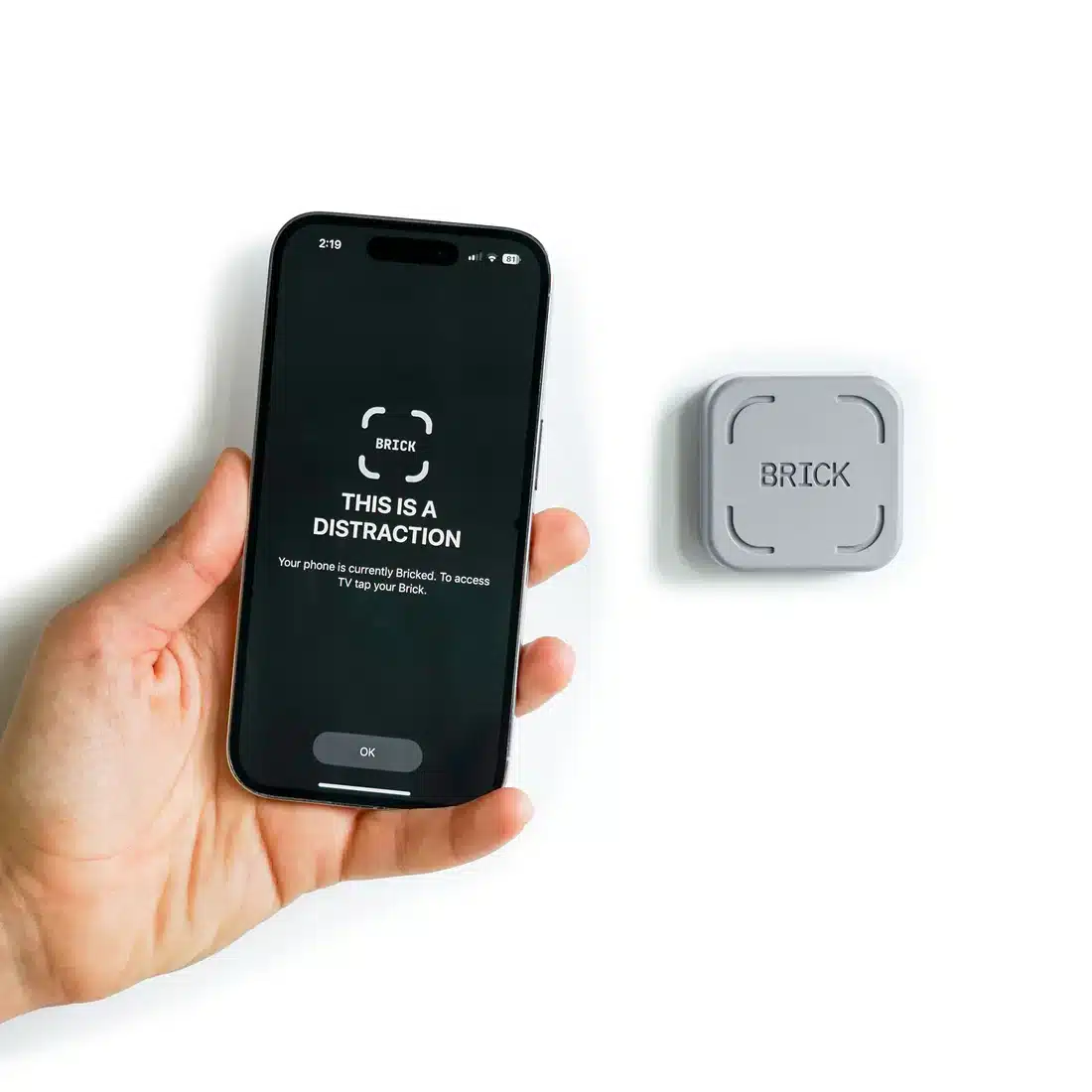
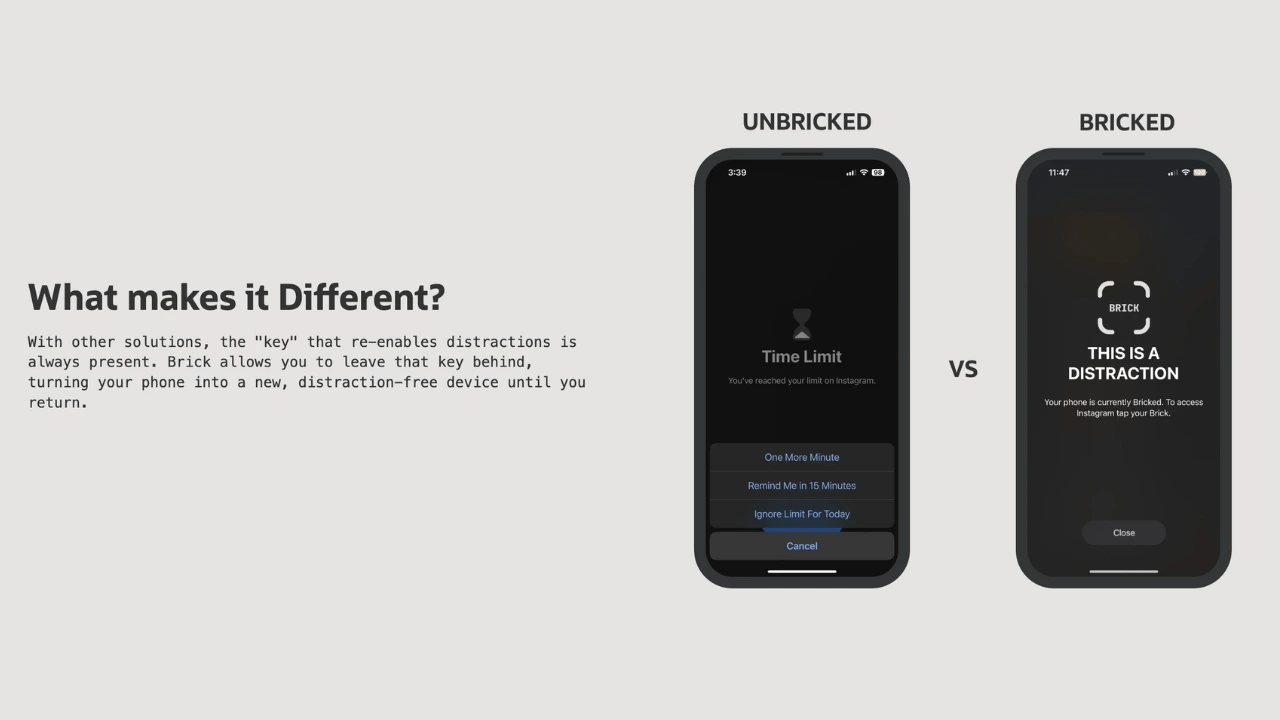
Brick is a two-part system, an easy-to-use mobile app paired with a small NFC “brick” device, that lets you block distracting apps instantly. Decide which apps stay accessible (like Maps or Messages), then tap your phone on the brand's device to lock everything else. When you’re ready to resume, tap again to unlock.
How It Works:
-
Download the App
Install the free app from the App Store. -
Set Your Modes
Create modes with “allow” or “block” lists – up to 50 apps per mode. -
Tap + Go
Hold your iPhone near this device to activate your chosen mode. -
Emergency Unbricks
Need immediate access? Use one of five emergency unbrick tokens in the app.
This seamless blend of physical and digital barriers makes it harder to mindlessly unlock your phone, and easier to stay focused on what matters.
When to Use:
-
Deep Work Sessions: Block social media while tackling big projects.
-
Family Time: Keep only Calls and Messages active during dinner.
-
Exercise + Mindfulness: Enjoy podcasts or music on long walks without distractions.
-
Travel + Commutes: Access Maps and Health apps, but pause endless scrolling.